 LemonArcade










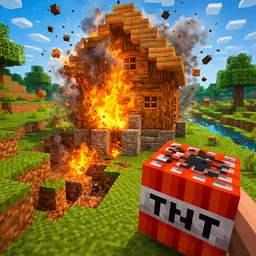







Eagle Craft is the name most players use for Eaglercraft, an open-source project that takes real Minecraft Java Edition code and rebuilds it so it runs inside a web page. It is not an imitation drawn to look like Minecraft: the original Java bytecode is compiled to JavaScript and WebAssembly with a tool called TeaVM, and the game's OpenGL rendering is mapped onto WebGL so the blocky world draws on an HTML5 canvas. The project was started by a developer known as LAX1DUDE, and it exists for one reason above all others: to let people play Minecraft on machines where installing anything is impossible, which in practice means school Chromebooks, library computers and office laptops.
There are several generations of the port. The first one was built on Minecraft 1.5.2 and was mostly about multiplayer on community servers. In May 2022 work began on EaglercraftX, a port of Minecraft 1.8.8, which LAX1DUDE and a collaborator known as ayunami2000 released on 26 December 2022. That 1.8 line is the one most people mean when they say Eaglercraft today, because it added a full singleplayer mode with world saving, resource pack support, and even a physically-based shader pack with reflections written from scratch for the browser. A 1.12.2 port came later. Which exact build a given site serves varies, so the version number you see on the title screen is the reliable guide.
Playing it feels like playing the Minecraft of that era, because it is. You spawn in a procedurally generated world, punch trees for wood, craft a workbench and tools, dig for stone, coal and iron, and get a shelter up before the first night brings zombies, skeletons and creepers. Survival mode tracks health and hunger and makes you earn every diamond. Creative mode hands you the full block palette and flight so you can build without limits. The 1.8 combat system has no cooldown on attacks, which is why PvP players still prefer that version over modern Minecraft, and the port keeps that behaviour intact, along with enchanting, brewing and the Nether.
The thing that makes Eaglercraft distinctive is not a new mechanic but where your data lives. Singleplayer worlds are stored inside the browser itself, in IndexedDB, so a world you started on Tuesday is still there on Wednesday as long as you open the same site in the same browser and nobody clears the browsing data. Worlds can be exported to a file and imported again, which is the safe way to keep a build you care about. Multiplayer, when a build offers it, goes through relay servers and community-run Eaglercraft servers rather than the official Minecraft server list, and the lobby you see depends entirely on the build you are given.
It is important to be clear about what this is and is not. Eaglercraft is not an official Mojang or Microsoft release, and Mojang has never endorsed it; it is a community port of code Mojang wrote, distributed as a fan project. That has consequences: builds get taken down and mirrored, features differ from site to site, and there is no account, no marketplace and no support line. What you get in exchange is a genuinely complete version of the game that loads in seconds on hardware that could never run the launcher, and a title that has quietly become the default way a whole generation of students plays Minecraft between classes.
On LemonArcade, Eagle Craft runs free in the browser with no download and no account. It is a desktop game in practice: it needs a keyboard and a mouse, the pointer gets locked to the canvas while you play, and it is heavy enough that a Chromebook with many other tabs open will drop frames. Expect a first load of ten to thirty seconds while the game assets arrive, then sessions as long as you want them to be. Lower the render distance in the video settings if the frame rate stutters, and export your world before leaving a shared computer.